This preview shows only the first page. Download and review the full document before sharing.
Why is the file not much smaller?
Images in many PDFs are already compressed. This tool prioritizes quality and does not force a target size by reducing resolution or image quality.
How it works
Choose a PDF to optimize.
Run quality-preserving compression and compare the sizes.
Download the smaller PDF, or keep the original if no space was saved.
Output and limitations
One PDF up to 50 MB and 100 pages. Encrypted, digitally signed and damaged PDFs are not supported. Keep your original file.
Selected files are processed in your browser. Download the results before closing this page.
Useful after merging PDFs or preparing a document for an attachment size limit. The amount saved depends on the source PDF.
Choose settings for your task
Will this PDF become smaller?
This tool reorganizes PDF data without lowering image resolution. Repeated or uncompressed data may shrink; already compressed scans may change very little. It does not promise a target size. If the new file is not smaller, the original is returned.
Check more than the file size
Compare the page count, page order and readability with the original. Try selecting text and opening any important links. Signed and password-protected PDFs are not supported; use an unsigned, unprotected copy only if you have permission.
A real conversion example
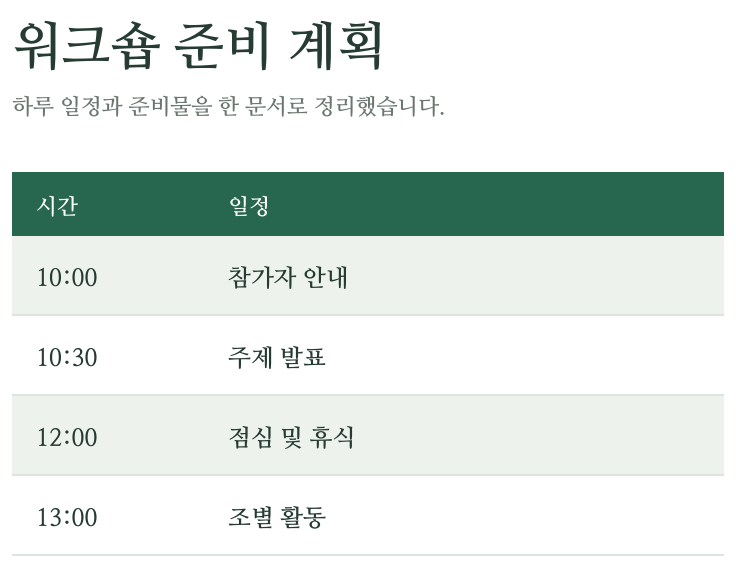
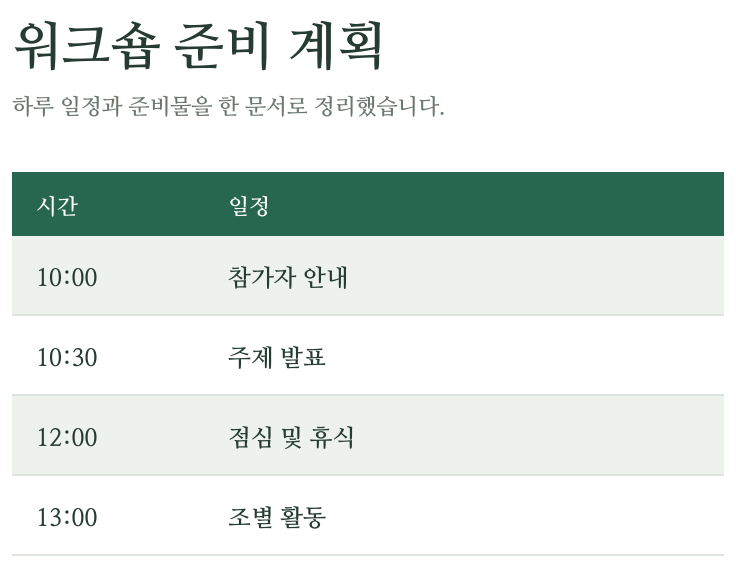
A three-page workshop plan with a schedule, checklist and budget. Compare the first-page excerpts below: the words and table stay the same after compression.
Same 3 pages. Text and tables preserved.51% smaller
This example was saved without compression. Already compressed files or scanned photos may shrink less.
Choose settings for your task
Use this quality-first mode for reports with small text or diagrams. It does not lower image resolution or turn pages into pictures. Check the result size: if no space is saved, the download is the unchanged original.
If the result is not what you expected
A scanned PDF may contain already compressed JPEGs, so lossless optimization can save very little. Do not expect a guaranteed 1 MB result. If an attachment still exceeds its limit, split the document or remove unnecessary pages. Signed and encrypted documents are excluded.