Your files stay here
No uploads or account needed.
Processed directly in your browser.
 Paper Switch
Turn a PNG into a JPG for an upload form. Transparent areas become white; compare the edges in the example below.
Useful tools for your images and QR codes.
Turn text or a link into a QR code. Add your color and logo.
Create QRREADUpload a QR image to extract and copy its contents.
Read QRChange pixel dimensions, with optional aspect ratio lock.
Edit imageRemove a solid background color and save as transparent PNG.
Edit imageProcessed on your device
No uploads or account needed.
Processed directly in your browser.
Preserve original vectors where possible.
Scanned images remain images.
The whole document or selected pages.
Download right after conversion.
Complex SVG filters, CSS and external fonts may look different. External images and scripts are not supported. Check important documents after conversion. PDF text may become paths; links, forms and animation are not preserved.
Password-protected PDFs are not supported. Limits: 20 files, 50 MB each, 100 MB total, and 100 pages per PDF. Complex files may take longer.
WEBP is an image format: selectable text and vector editing are not preserved. WEBP to PDF creates one PDF per image. Transparency becomes white; animation uses the first frame.
PDF to TXT combines selected pages into one UTF-8 file. Pages without text use OCR in the selected language, which takes longer and may misread small text or handwriting. TXT to PDF wraps UTF-8 text on A4 (200,000 characters, 100 pages). TIFF output is uncompressed and can be large; multipage TIFF becomes one multipage PDF.
Selected files are processed in your browser. Download the results before closing this page.
We drew this 640 × 400 test image with transparent margins, text and thin lines, then converted it using this tool. The checkerboard is a preview background, not part of the files.
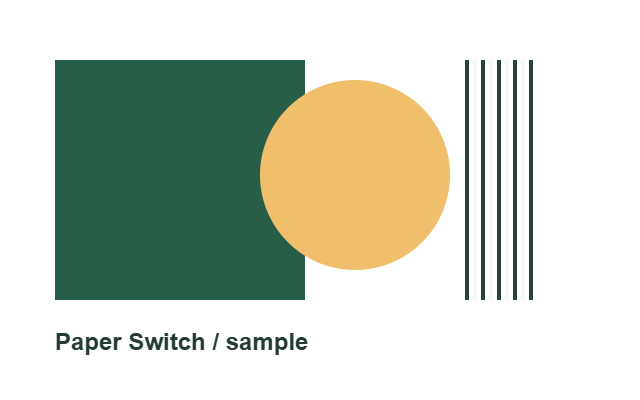
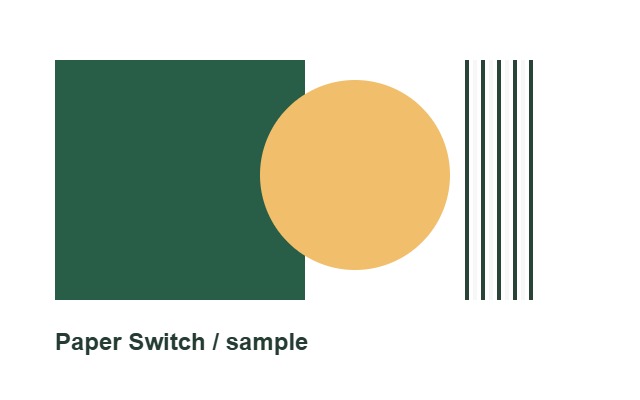
The transparent corner becomes an opaque white pixel. JPG cannot keep the transparent background. Keep the PNG original if you want to place the artwork on another background.
Download both files to inspect them at full size. These are generated test graphics, not user uploads or a quality guarantee. Sizes were measured with Chrome; browser encoders and other images can produce different results.
Measurement data