이 PDF는 얼마나 줄어들까요?
이 도구는 이미지 해상도를 낮추지 않고 PDF 데이터를 정리합니다. 중복되거나 압축되지 않은 데이터가 많으면 줄어들 수 있지만 이미 압축된 스캔 문서는 거의 줄지 않을 수 있습니다. 특정 용량을 보장하지 않으며 결과가 더 작지 않으면 원본을 제공합니다.
 Paper Switch
미사용·중복 데이터를 정리하고 내부 데이터를 압축해 PDF 용량을 줄이세요. 글자·도형·이미지 해상도를 유지합니다.
이미지 해상도를 낮추거나 손실 압축하지 않습니다. PDF 페이지를 통째로 사진으로 바꾸지 않습니다.
많은 PDF의 이미지는 이미 압축돼 있습니다. 이 도구는 품질을 우선하며 목표 용량에 맞추려고 해상도나 화질을 낮추지 않습니다.
선택한 파일은 브라우저에서 처리됩니다. 페이지를 닫기 전에 결과를 다운로드하세요.
PDF를 합친 뒤나 첨부 용량 제한에 맞춰 문서를 준비할 때 사용하세요. 줄어드는 용량은 원본 PDF에 따라 달라집니다.
PDF 1개, 최대 100페이지. 암호화·디지털 서명·손상된 PDF는 지원하지 않습니다. 원본 파일을 보관하세요.
이 도구는 이미지 해상도를 낮추지 않고 PDF 데이터를 정리합니다. 중복되거나 압축되지 않은 데이터가 많으면 줄어들 수 있지만 이미 압축된 스캔 문서는 거의 줄지 않을 수 있습니다. 특정 용량을 보장하지 않으며 결과가 더 작지 않으면 원본을 제공합니다.
원본과 페이지 수·순서·가독성을 비교하고 글자 선택과 중요한 링크도 확인하세요. 서명된 PDF와 비밀번호로 보호된 PDF는 지원하지 않습니다. 사용 권한이 있을 때만 서명과 보호가 없는 별도 사본을 사용하세요.
일정표·준비물·예산이 담긴 3페이지 문서입니다. 아래 첫 페이지 일부를 비교해 보세요. 압축 후에도 글자와 표는 그대로입니다.
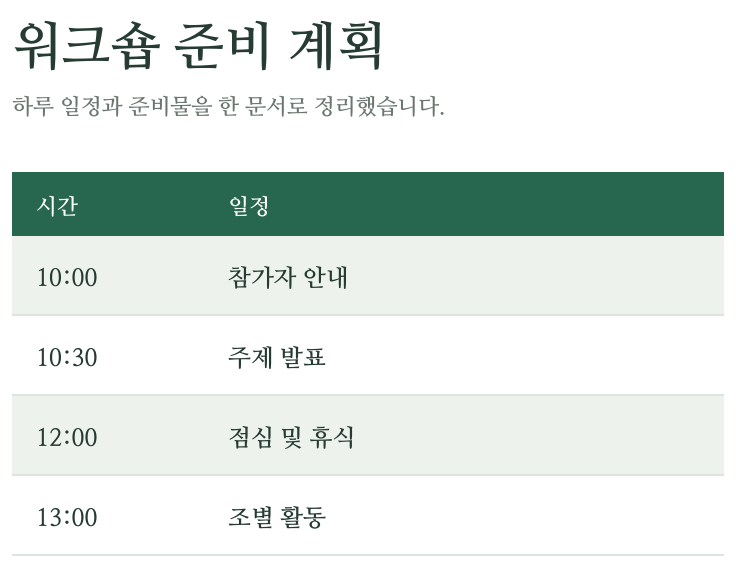
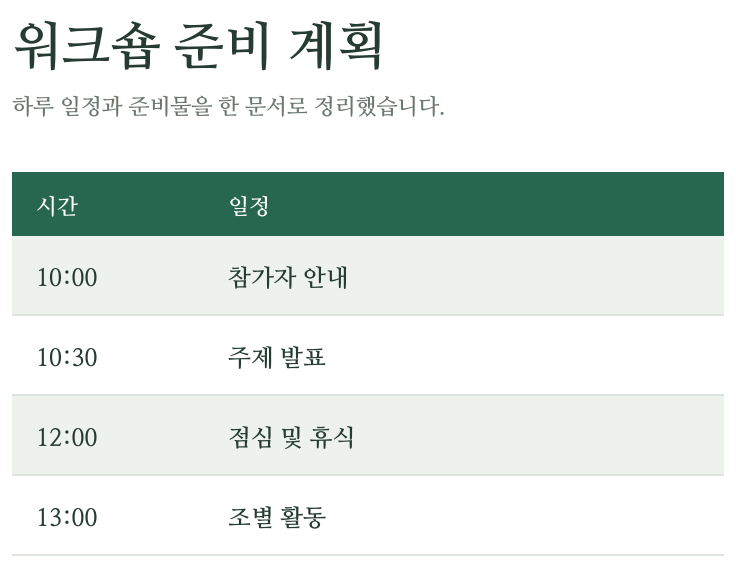
압축하지 않고 저장한 예시 문서입니다. 이미 압축된 파일이나 스캔 사진은 용량이 덜 줄어들 수 있습니다.
작은 글자나 도표가 있는 보고서에는 품질 우선 압축을 사용하세요. 이미지 해상도를 낮추거나 페이지를 사진으로 바꾸지 않습니다. 결과 용량을 확인하세요. 줄어들지 않으면 변경하지 않은 원본을 다운로드합니다.
스캔 PDF 안의 JPEG가 이미 압축돼 있으면 무손실 최적화로 거의 줄어들지 않을 수 있습니다. 1 MB 같은 목표 용량을 보장하지 않습니다. 첨부 제한을 넘으면 문서를 나누거나 불필요한 페이지를 제거하세요. 서명·암호화 문서는 제외합니다.